You have spotted a brilliant Instagram profile picture, maybe an old friend’s new avatar or a logo you want to study up close, and the second you tap it nothing happens. Instagram keeps that little circle deliberately tiny, and there is no save button anywhere in sight.
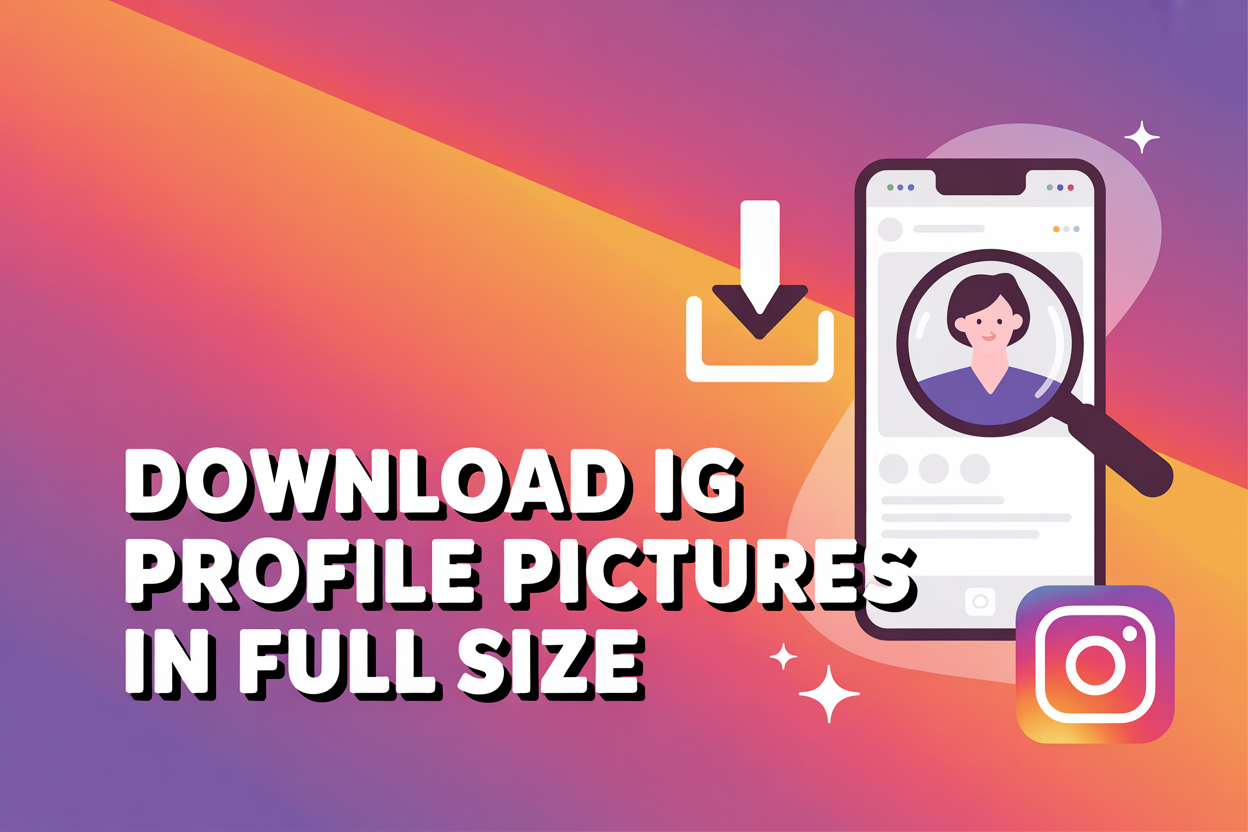
An Instagram profile picture downloader is a free web tool that lets you view and save any public profile photo in full size and high definition. You paste the username or profile link, the tool fetches the original image straight from Instagram’s servers, and you download the full resolution version to your phone or computer in a couple of seconds, no app or login required.
Below we walk through exactly how to download an Instagram profile picture in full size on any device, how to handle private accounts and bulk downloads, where your files end up, and where the line sits between harmless saving and dodgy behaviour. It is all far simpler than Instagram makes it look.
Why Instagram won’t let you save a profile picture normally
Instagram deliberately blocks the profile picture from being saved, which is why there is no download option when you tap one. Unlike a normal feed photo, the display picture is treated as a protected element, so it never appears in your data backup and you cannot long-press to save it the way you might with a post.
The bigger frustration is the size. Instagram shrinks every profile photo down to roughly 150 by 150 pixels in the app, and the most you ever see natively is a 320 by 320 version on the web. Screenshotting that tiny circle leaves you with a blurry, pixelated mess that is useless if you actually want the real image. A dedicated profile picture downloader gets around all of this by pulling the original file that was uploaded to Instagram, so you keep the full quality the owner started with.
How to download an Instagram profile picture in full size
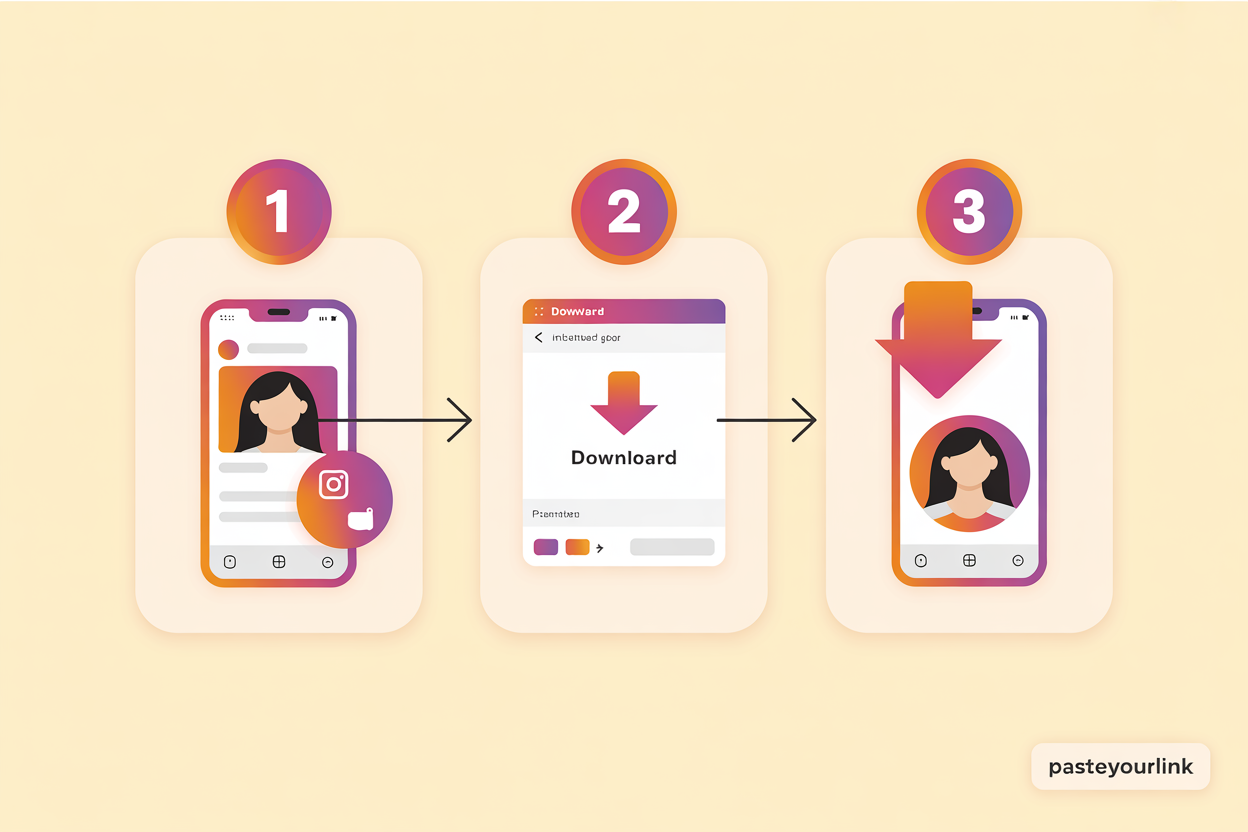
To download an Instagram profile picture in full size, copy the profile’s username or link, paste it into an Instagram profile picture downloader, then tap download to save the original HD image. The whole process takes well under a minute and works the same whether the account belongs to a celebrity, a brand, or the friend you have known since school.
- Open the Instagram profile you want, either in the app or in your browser, and tap the three dots, then Copy profile URL. You can also just note the @username.
- Paste the link or username into the search box on a profile picture downloader such as PasteYourLink.
- Press View or Download and wait a couple of seconds while the tool fetches the original image.
- Save the full-size picture to your camera roll or downloads folder by tapping the download button.
Because everything runs in the browser, there is nothing to install and nothing eating up space on your phone. The same tool that grabs a profile picture will usually save Instagram photos, reels, and stories too, so it is worth bookmarking once you find one you trust.
Download Instagram profile pictures on iPhone, Android and PC
A web-based downloader works identically across iPhone, Android, Windows and Mac, because all the heavy lifting happens online rather than in an app. The only thing that changes is where the saved file lands, which we cover further down.
- On iPhone: open the downloader in Safari, paste the username, and tap download. The image saves to your Downloads in Files, and you can move it to Photos with a tap.
- On Android: use Chrome, paste the link, and the picture drops straight into your Gallery or Downloads folder.
- On a PC or Mac: paste the profile link into the tool in any browser, and the full-resolution image saves to your Downloads folder, ready to use. If you regularly grab Instagram content on a computer, our guide on how to install Instagram on your PC for Windows and Mac pairs nicely with this.
How to view and download a private Instagram profile picture
You can view and download a private account’s profile picture in full size without following them, because the display picture itself is technically public even when the rest of the account is locked. Paste the private profile’s username into the downloader and it will fetch the enlarged photo, no follow request and no login needed.
It is worth being clear about what this does and does not unlock. You get the profile photo and the public bio, but you do not get access to private posts, stories, or anything else hidden behind the account’s privacy wall. If you are mostly curious about who is interacting with your own account, you might find our piece on whether you can see who views your Instagram profile more useful than any viewer tool promising the impossible.
Getting the best quality: HD, 1080p and 4K profile pictures
The maximum quality you can download is the resolution the owner originally uploaded, so a downloader gives you the true HD file rather than upscaling anything. Instagram recommends profile photos of around 320 by 320 pixels and stores a high-resolution master, which is why a proper tool can hand you a crisp full-size image instead of the blurry 150-pixel thumbnail you see in the app.
You will see plenty of tools advertising “4K” profile picture downloads, and it pays to keep your expectations realistic. No downloader can magically add detail that was never there, so if someone uploaded a small image, that is the ceiling. What a good Instagram profile picture downloader genuinely does is preserve every pixel of the original without the compression and quality loss that a screenshot introduces, which for most profile photos means a clean, sharp result you can actually use.
How to download all of someone’s profile pictures at once
To save more than the current profile picture, you need a profile downloader that handles bulk downloads, since the standard view only ever shows the photo that is live right now. Some tools let you grab a public account’s whole library of posts and media in one go, which is handy if you are archiving a brand account or keeping a record of your own content.
Instagram itself does not keep a public gallery of someone’s past profile pictures, so there is no legitimate way to pull a stranger’s entire history of old avatars. What you can do is download the current one in full size whenever it changes, and bulk-save the public posts and highlights from an account you have a genuine reason to archive. While you are at it, our walkthrough on how to download a highlight cover from Instagram covers another image Instagram quietly makes hard to save.
Where your downloaded profile pictures are saved
Downloaded profile pictures save to your device’s default download location, which depends on what you are using rather than on the tool itself. Once the file is there, you can treat it like any other image, moving it, editing it, or setting it as your own picture.
- Android: the image usually lands in your Gallery or the Downloads folder.
- iPhone: it saves to Downloads inside the Files app, and you can save it on to Photos with one tap.
- Windows and Mac: look in your browser’s Downloads folder, where the picture sits ready to open or share.
Is it legal to download someone’s Instagram profile picture?
Downloading a public Instagram profile picture for personal, private use is generally fine, but the image still belongs to whoever created it, so what you do next is what matters. Saving a photo to recognise a follow request, keep a contact’s avatar, or reference a design is a world away from reposting it, claiming it as your own, or using it commercially without permission.
The sensible rule is to respect copyright and privacy. Profile pictures are protected by the same copyright that covers any photograph, and Instagram’s own terms make clear that content belongs to its creators, so always ask before you publish or profit from an image that is not yours. For the official position on what you can and cannot do with other people’s content, Instagram’s Help Centre is the place to check. Used responsibly, a downloader is simply a convenient way to keep an image you have a legitimate reason to save.
Whenever you want to save Instagram media properly, from a friend’s display picture to a reel you keep rewatching, the PasteYourLink Instagram downloader handles it in a few taps without apps, sign-ups, or quality loss. Paste the link, grab the file, done.
Key Takeaways
- Instagram blocks profile picture saving and shrinks the image to roughly 150 by 150 pixels, so a downloader is the only way to get the full-size original.
- Copy the username or profile link, paste it into an Instagram profile picture downloader, then tap download to save the HD image in seconds.
- The same web tools work on iPhone, Android, Windows and Mac, with no app or login required.
- You can view and download a private account’s profile picture, but not its private posts or stories.
- Maximum quality equals the resolution the owner uploaded, so “4K” claims cannot add detail that was never there.
- Save public pictures for personal use only, and respect copyright before reposting or using an image commercially.
Frequently Asked Questions
Yes, the majority of Instagram profile picture downloaders are completely free and need no subscription or sign-up. You simply paste a username or profile link and download the full-size image. Tools like PasteYourLink let you save profile pictures, photos, reels, and stories without paying anything.
Yes, you can download any public Instagram profile picture without logging in or even having an account. Web-based downloaders fetch the image anonymously, so the account owner is never notified and you do not need to follow them. Just paste their username and save the full-size photo.
Paste the private account’s username into a profile picture downloader and it will display the enlarged photo, because the display picture is public even when the account is locked. You do not need to send a follow request. You will only get the profile picture and bio, not the account’s private posts or stories.
You can download a profile picture at the highest resolution the owner originally uploaded, but no tool can add detail that was never there. Most Instagram profile photos are not true 4K, so treat those claims with caution. A good downloader does give you the full-quality original without the blur a screenshot causes.
Saved profile pictures go to your device’s default download location. On Android they appear in your Gallery or Downloads folder, on iPhone they save to Downloads in the Files app, and on a computer they land in your browser’s Downloads folder. From there you can move, edit, or share the image freely.
No, Instagram does not notify anyone when you view or download their profile picture through a web tool. The process is completely anonymous because the downloader fetches the public image without interacting with the account. The owner cannot see that you saved their photo.
Conclusion
Instagram makes saving a profile picture feel deliberately awkward, shrinking the image and hiding any download option, but a free Instagram profile picture downloader quietly solves the whole problem in seconds. Paste a username, grab the full-size HD photo, and you are done, whether you are on an iPhone, an Android, or a laptop. Keep it to public pictures and personal use, respect the people behind the photos, and the next time a great profile picture catches your eye, you will know exactly how to save it properly with PasteYourLink.