Search “download private Instagram” and you will be buried under tools that all promise the same miracle, which is full access to any locked account in a couple of clicks. It sounds brilliant, and that is exactly why it pays to slow down before you paste anything anywhere.
You generally cannot download private Instagram content from an account you do not follow, because Instagram hides those posts behind a follower wall and no legitimate tool can break it. You can only save content you are already allowed to see, such as your own posts, content shared with you, or anything from a public account, and most “private downloader” sites that claim otherwise are scams.
That is the honest version, and it matters because the wrong tool can cost you your account or your login details. Below we explain what private content actually is, why the shortcuts do not work, how to spot the scams, and the legitimate ways to save Instagram media you genuinely have the right to keep.
What counts as “private” Instagram content?
Private Instagram content is anything posted by an account set to private, which means only approved followers can see its posts, Reels, Stories, and Highlights. When someone switches their profile to private in their settings, Instagram puts a follower wall around everything they share, so a stranger visiting that profile sees the bio and the follower count but not the actual media. According to Instagram’s own Help Center, only people whose follow request has been accepted can view what a private account posts.
This is worth separating from a couple of things people confuse it with. A public account is visible to anyone, logged in or not, so its posts are fair game for ordinary downloaders. A private account is the opposite, and “private” here is not a technical lock you can pick, it is a permission system that depends entirely on whether the owner has let you in.
Can you download private Instagram content? The honest answer
You can only download private Instagram content if you already have permission to view it, and there is no legitimate way to download from a private account you do not follow. Every reputable downloader works by fetching the same public data your browser can already see, so when an account is private and you are not an approved follower, there is simply nothing for the tool to fetch. The follower wall is enforced on Instagram’s servers, not in your browser, which is why no website, app, or browser extension can quietly reach around it.
The honest takeaway is that “download private Instagram” really splits into two very different requests. If you mean content you are allowed to see, such as your own account or a private friend whose follow request you have accepted, then yes, there are safe ways to save it, which we cover below. If you mean content from an account that has chosen to keep you out, then the truthful answer is no, and anyone selling you a one-click solution is either misleading you or harvesting something from you in the process.
How “private Instagram downloaders” actually work
Most so-called private Instagram downloaders only work on content you can already access while logged in, which makes the “private” label misleading. Read the instructions on these sites closely and you will notice a pattern, because nearly all of them ask you to log into your own Instagram account first, then open the post, then copy a long block of page source and paste it back into their box. In other words, the tool is using your own logged-in session to grab a post that you, as an approved follower, were already permitted to see. It is not unlocking anything that was hidden from you.
A few honest tools say this outright. The downloader at Toolzu, for example, openly states that it “can only download publicly available posts” and respects user privacy, which is the accurate position. The ones that imply they can pull media from any private stranger’s account are leaning on a promise they cannot keep, and the convoluted copy-and-paste steps are often the moment where things go wrong, because you are handing over session data on a third-party page.
The scam warning: fake private viewers and downloaders
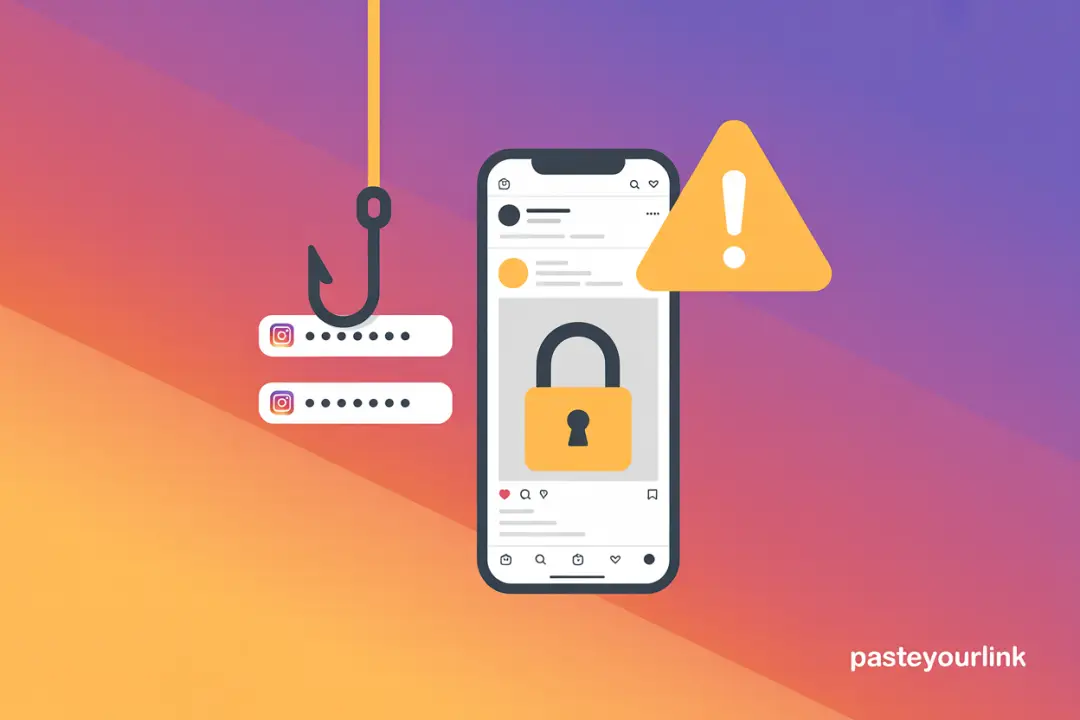
Most sites claiming to view or download from any private account are scams, and recognising the warning signs will save you a lot of grief. As one widely upvoted Reddit comment in the r/Instagram community put it, “there’s no real tool that can view or download content from private accounts, most sites claiming to do that are scams.” Once you accept that the underlying promise is impossible, the business model behind these pages becomes obvious, because they are selling access to something that does not exist.
Here are the red flags worth watching for before you ever enter a username or click a download button:
- “Enter any username to view their private profile.” No tool can do this, so the page exists to collect the usernames you type or to feed you adverts.
- Endless “human verification” or survey steps. These offer-walls pay the scammer per completed survey and never deliver the promised download.
- Requests for your Instagram password on a non-Instagram page. This is straightforward credential phishing, and handing it over can get your account stolen.
- Pressure to install an unknown app or APK. Sideloaded apps can carry malware or quietly log what you do.
- Promises of total anonymity plus full private access. The two claims together are a contradiction, since real access would require the owner’s permission.
Beyond the wasted time, the real costs are serious. Using shady third-party apps that ask for your login breaches Instagram’s terms of service and can get your own account restricted or banned, and several Reddit users describe exactly that happening after they tried these tools.
How to save private content you are allowed to see
If you already have permission to view private content, there are several safe and legitimate ways to save it without risking your account. The key principle is that you are keeping a copy of something you were genuinely allowed to see, not bypassing anyone’s privacy. Here are the options that actually work:
- Download your own content. Instagram lets you request a full archive of everything you have ever posted through the Download Your Information tool in Settings, which is the cleanest way to back up your own private account in full resolution.
- Use the built-in Save feature. Tapping the bookmark icon on any post you can see, including from a private account you follow, stores it in your private Saved collections for later, although it stays inside the app rather than your camera roll.
- Screen record content you can view. On both iPhone and Android, the built-in screen recorder captures a Story or video you have legitimate access to, which is the method most people quietly rely on for private friends’ Stories.
- Just ask the person. If a friend posted a Reel or photo you love, asking them to send it to you directly is faster, friendlier, and gives you the original file without any third-party middleman.
None of these break a single rule, because in every case you are working with content the owner has already shared with you.
How to download public Instagram content the easy way
For public Instagram content, a simple link-based downloader is the fastest and safest route, with no login and no copy-and-paste gymnastics. If the account you are interested in is public, or the creator you follow has a public profile, you can save their posts properly instead of wrestling with sketchy “private” tools. Just copy the link to the post, Reel, or Story and paste it into the PasteYourLink Instagram downloader, and it pulls the media in its original quality without ever asking for your password.
Because the work is the same across formats, you can use the same approach whether you want to download Instagram Reels, save Instagram Stories anonymously, or grab a creator’s full-size profile picture. If you need to archive a whole public account at once, our guide to bulk downloading an entire Instagram profile walks through the batch method. The honest catch is the same throughout, which is that all of this only works on public content, and that is by design rather than a limitation we can engineer around.
Is it legal or safe to download from private accounts?
Downloading content you are allowed to see for personal use is generally fine, but trying to take private content you were never granted access to crosses both ethical and platform-rule lines. Saving a friend’s Story that you can legitimately view, or backing up your own posts, sits comfortably within normal use. Attempting to scrape or unlock a private account you do not follow is a different matter, because it ignores the owner’s clearly expressed choice to keep that content restricted.
There are three practical risks worth keeping in mind. Copyright remains with the creator, so redistributing or commercially using anyone’s media without permission can land you in trouble regardless of how you obtained it. Instagram’s terms of service prohibit unauthorised access and scraping, and breaching them risks your own account. And consent matters, because reposting private content that someone shared in confidence can damage trust and, in some cases, cross into harassment. When in doubt, the simplest safeguard is to ask the person first.
Key Takeaways
- You cannot download private Instagram content from an account you do not follow, because the follower wall is enforced on Instagram’s servers.
- “Private downloaders” mostly work on content you can already see while logged in, so the “private” label is misleading.
- Sites that promise to view any private profile, demand surveys, or ask for your password are scams and can get your account banned.
- You can safely save your own posts, content from private accounts you follow, and anything public, using legitimate methods.
- For public posts, a link-based tool like PasteYourLink is the cleanest option, with no login and no risky steps.
Frequently Asked Questions
No, you cannot. Instagram hides private accounts behind a follower wall enforced on its servers, so no legitimate website, app, or extension can reach the posts unless your follow request has been accepted.
Most are not. Sites that claim to view or download any private profile are commonly scams that run surveys, show endless adverts, or phish for your Instagram password. Tools that ask for your login on a non-Instagram page can get your account stolen or banned.
No, Instagram does not notify users when you screen record their Story or posts. It only sends a notification for screenshots of disappearing photos and videos sent in a direct message, not for normal Stories or feed content.
Saving content you are allowed to see for personal use is generally fine. Trying to take private content you were never granted access to crosses Instagram’s terms and can raise copyright and consent issues, so the safest route is to ask the owner first.
Because you have permission to view it, the simplest method is your phone’s built-in screen recorder on iPhone or Android. You can also tap Save to keep it in your private collections, or message the person and ask them to send the original file.
Yes. Instagram’s Download Your Information tool in Settings lets you request a full archive of everything you have posted, including from a private account, in original resolution. It is the cleanest way to back up your own content.
Conclusion
The honest 2026 truth is that downloading private Instagram content from accounts you do not follow is not something any safe tool can do, and the pages that swear otherwise are usually after your data, your time, or your password. The good news is that everything you genuinely have a right to keep, your own posts, a friend’s Story you can already see, or any public content, is easy to save without taking a single risk. When the post is public, skip the drama and just paste the link into the PasteYourLink downloader to grab it cleanly in seconds.